Jhoinrch Isolated USB to CAN FD Adapter — Hands-On Review
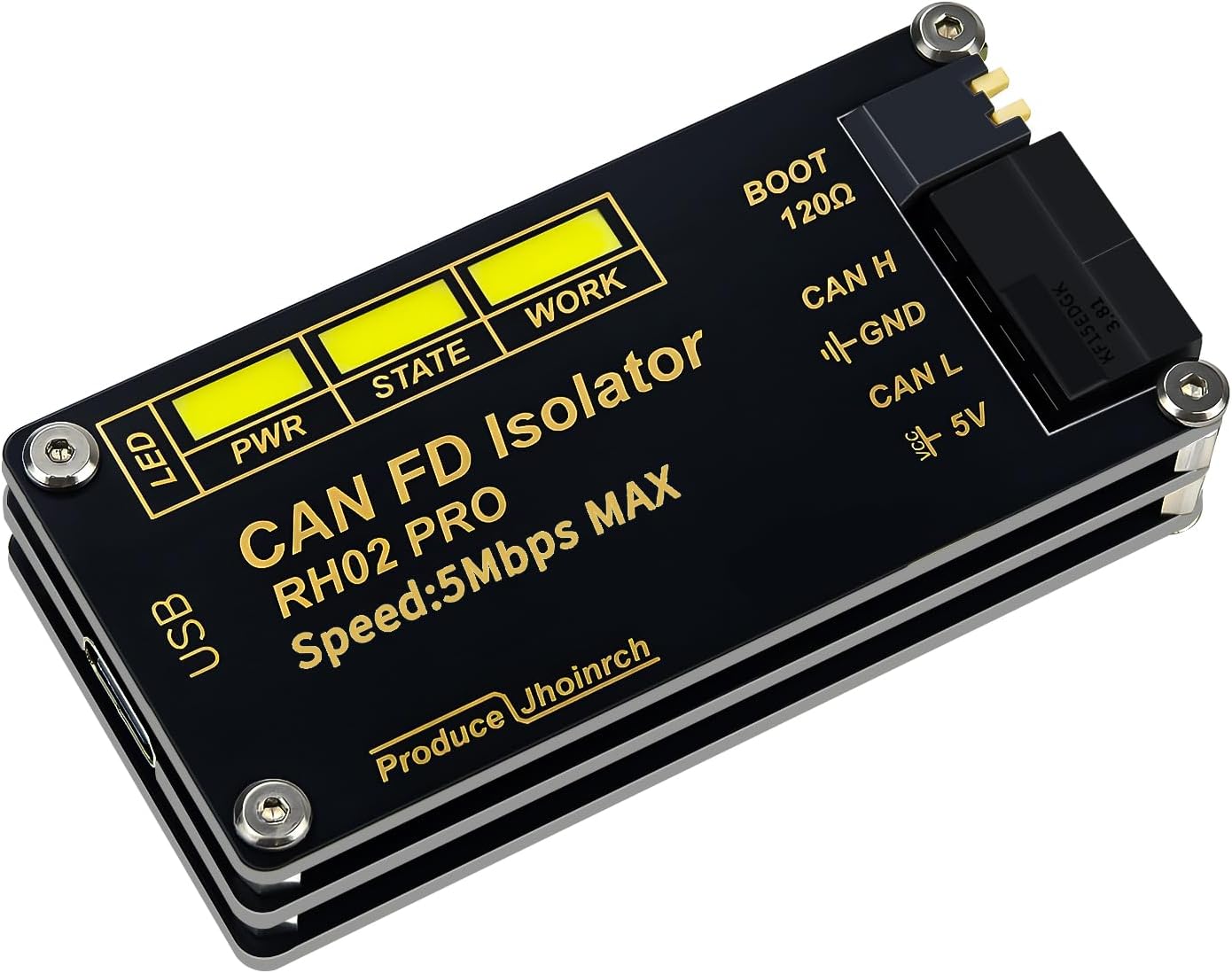
Jhoinrch Isolated USB to CAN FD Adapter
Based on Canable 2.0 · Up to 5Mbps · Dual isolation · Windows & Linux support
View on Amazon ›As an Amazon Associate I earn from qualifying purchases.
A plug-and-play USB to CAN FD adapter that works right out of the box. The included software lets you configure your connection, monitor live bus frames, and send specific messages — making it a solid pick for automotive engineers, DIY mechanics, and hobbyist makers alike.
Pros
- True plug and play — no complex setup
- Included software works immediately
- Live bus frame monitoring
- Can send specific CAN messages
- Dual signal and power isolation
- Supports CAN FD and Classic CAN
- Works on Windows and Linux
Cons
- Not compatible with Apple M-series chips
- Advanced firmware updates require extra steps
- Niche tool — not for everyday users
What Is a USB to CAN FD Adapter?
If you work on modern vehicles, industrial equipment, or embedded systems, you've probably run into the CAN bus — the communication backbone that lets all the different modules in a vehicle or machine talk to each other. CAN FD (Flexible Data-rate) is the newer, faster version of that standard, capable of handling up to 64 bytes per frame at speeds up to 5Mbps.
A USB to CAN FD adapter is the bridge between your laptop and that network. You plug one end into your computer via USB, connect the other end to the CAN bus, and you can start reading and writing messages in real time.
My Experience Using It
Setting this up was genuinely plug and play. I connected the adapter, installed the included CAN FD Tools software, and within a few minutes I was looking at live bus frames on my screen. The software walks you through selecting your connection type and baud rate, which makes it accessible even if you're not deeply familiar with CAN protocols.
Once connected, the live frame view is clear and easy to read — you can see the message IDs, data bytes, and timestamps in real time. What I found especially useful is the ability to send specific messages back onto the bus, which opens up a lot of possibilities for testing and diagnostics.
The isolation is a big deal for this type of tool. The dual signal and power isolation means your laptop is protected from any voltage spikes on the bus — something you definitely want when you're poking around vehicle networks or industrial equipment.
Who Is This For?
Automotive engineers and technicians will find this useful for ECU development, diagnostics, and reverse engineering vehicle networks. DIY mechanics who want to go beyond OBD-II and dig into raw CAN data will get a lot out of it. And hobbyists and makers working with Raspberry Pi, Arduino, or similar platforms will appreciate that it works out of the box with SocketCAN on Linux.
Key Specs
| Protocol Support | CAN FD, CAN 2.0A, CAN 2.0B |
| Max Speed | Up to 5 Mbps |
| Based On | Canable 2.0 (open source) |
| Isolation | Dual signal and power isolation |
| OS Support | Windows XP/7/8/10/11, Linux (SocketCAN) |
| Connection | USB to CAN (DB9 connector) |
| Firmware | Slcan (upgradeable via GitHub) |
| Mac Support | Not compatible with Apple M-series |
Final Thoughts
For the price, this is a capable and well-built adapter. The isolation alone makes it worth considering over cheaper options. If you need to get on a CAN FD bus quickly and don't want to mess around with complicated setup, this gets the job done. Just make sure you're on Windows or Linux — Mac users with M-series chips should look elsewhere.
Ready to pick one up?
Check current pricing and availability on Amazon.
View on Amazon ›As an Amazon Associate I earn from qualifying purchases.